How do I claim a bonus?
Learn how to claim or redeem a bonus by watching our short video tutorial, or just follow the step-by-step instructions found below.
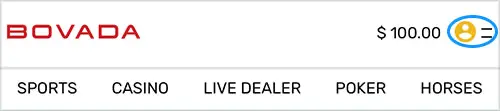
1. Click the silhouette icon at the top of the page.
2. From the menu, click ‘Rewards’.
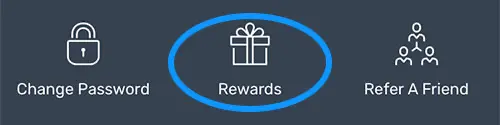
3. Your available bonuses are listed under the Bonuses Tab in your Dashboard.
How to Claim a Cash Bonus:
Cash bonuses are listed in the menu and are recognized by the ‘Claim’ button next to the bonus name:
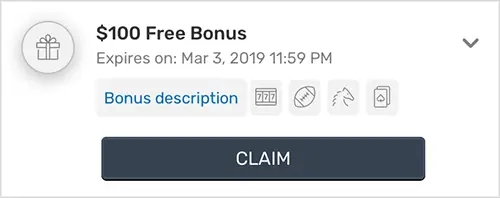
To claim that “cash,” just click the claim button next to the Bonus and the funds will instantly show up in your account.
Claim a Deposit Match Bonus:
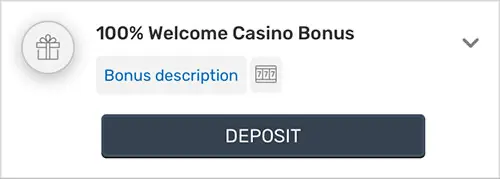
- Click ‘Deposit’ next to the Bonus of your choice.
- Proceed to the deposit page and your bonus will be awaiting your next deposit.
- Make a deposit and instantly you’ve got your match. You can see the total of your deposit + bonus at the top of the page.
Enter a code:

If you’ve received a coupon code via email, enter it in the space at the bottom of the page, then click 'Redeem'. Lucky winners of our social media bonuses will be issued the bonus amount approximately 24-48 hours after the announcement. If for whatever reason you do not receive your bonus after this time, private message us directly via the social media platform (eg. Facebook, Instagram, Twitter) and we'll issue the bonus upon confirmation.
Note: Be sure to check your Rewards or Transactions to confirm that your bonus has been applied before playing. If it hasn't, contact us and we'll be happy to help.
RELATED TOPICS:
Did you find what you were looking for?